- Help Desk Explained: The Basics of Reactive IT Support
- Service Desk Explained: A Central Hub for IT Services
- Difference Between Help Desk and Service Desk: Side-by-Side Comparison
- Processes That Set Help Desk and Service Desk Apart
- A Simple Way to Understand the Difference
- When a Help Desk Is Enough (And When It’s Not)
- When a Service Desk Makes More Sense for Businesses
- From Help Desk to Service Desk: The Natural ITSM Evolution
- Conclusion: Choosing the Right IT Support Model
Someone raises a ticket. The issue gets fixed. Everyone moves on.
But then the same issue comes back. And again. And again.
That’s usually where the confusion starts — and where the difference between Help Desk and Service Desk really begins to matter.
Most teams use these terms as if they mean the same thing. They don’t. And when businesses don’t understand what is the difference between Help Desk and Service Desk, IT support slowly turns reactive, users stay frustrated, and IT teams feel stuck just “putting out fires”.
This blog clears that confusion. You’ll understand what each model actually does, how they work, and how choosing the right one improves efficiency, service quality, and user experience without overcomplicating IT.
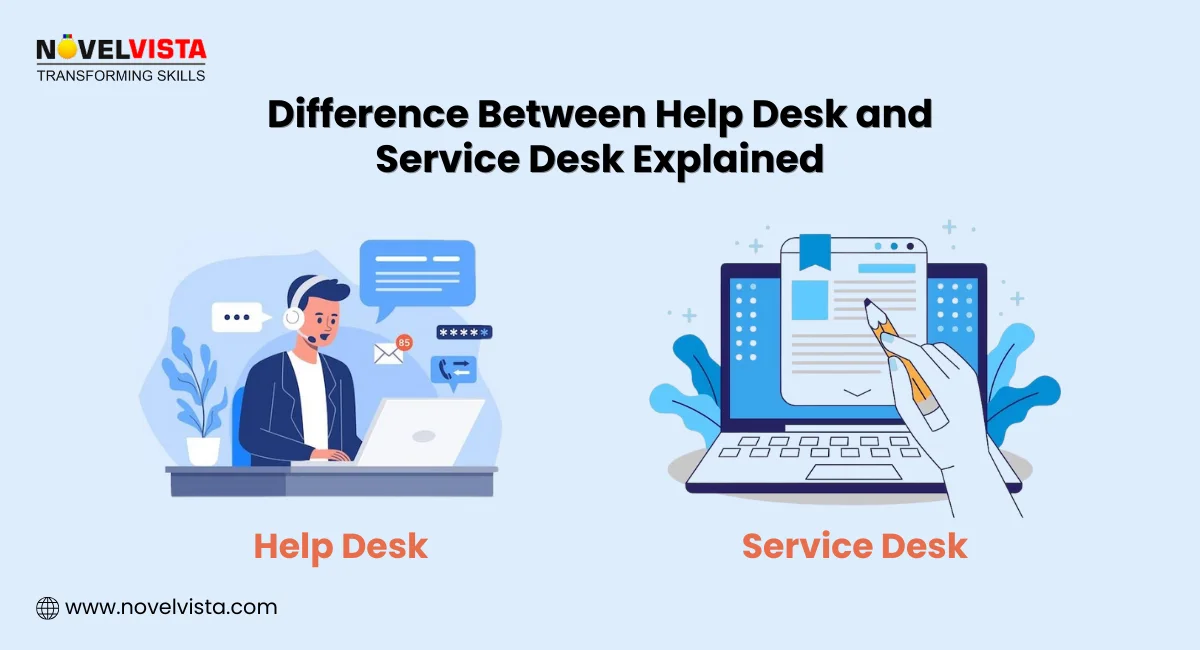
Help Desk Explained: The Basics of Reactive IT Support
A help desk is the most familiar form of IT support. It’s usually the first place users go when something breaks, and they need quick help.
At its core, a help desk focuses on fixing problems after they happen. The goal is simple: resolve the issue and get the user back to work as fast as possible.
Here’s what a typical help desk handles:
- User-reported issues that stop daily work: These include login failures, password resets, email access problems, printer issues, or basic software errors. The focus is speed, not long-term analysis or prevention.
- Break-fix troubleshooting approach: Help desks work reactively. An issue appears, a ticket is raised, the technician fixes it, and the ticket is closed. Once resolved, attention shifts to the next problem.
- Limited scope of responsibility: Most help desks deal only with incidents. They don’t manage service requests, changes, or service improvements. Their responsibility usually ends when the issue is fixed.
- Simple tools and workflows: Basic ticketing systems, email-based support, or call logging tools are common. Automation, reporting, and analytics are usually minimal or not used at all.
Because of this structure, help desks work best for:
- Small organizations
- Teams with limited IT systems
- Environments where IT demand is predictable and low
This analysis of Help Desk operations comes from working with multiple SMB IT teams and observing recurring patterns in incident resolution, ticketing workflows, and user satisfaction metrics. This allows us to highlight the practical limitations of reactive IT support.
Understand how a help desk really works, what it handles daily, and why it still matters in modern IT. Read the complete blog which explains everything you need to know about ITIL 4 help desk to get the full picture.
As businesses grow, cracks start to show. Repeated issues, no visibility into service quality, and rising user complaints signal the need for something more structured. That’s where the service desk comes into play.
Service Desk Explained: A Central Hub for IT Services
A service desk changes how IT support is viewed. Instead of being a repair shop, it becomes a central hub for managing IT services as a whole.
A service desk acts as a Single Point of Contact (SPOC) for users. But its role goes far beyond logging and fixing incidents.
Here’s what defines a service desk:
- Manages the full IT service lifecycle: A service desk handles incidents, service requests, changes, problems, and knowledge. It looks at how services are delivered, supported, and improved over time.
- Aligns IT with business needs: The focus shifts from “fixing tickets” to “supporting business outcomes.” Services are designed and measured based on how they help teams work better.
- Proactive, not just reactive: Service desks track trends, recurring issues, and service performance. This allows teams to prevent problems before users even notice them.
- Strong connection with ITIL and ITSM practices: Service desks are closely aligned with ITIL. Processes like Incident Management, Change Enablement, Knowledge Management, and Continuous Improvement are part of daily operations.
- Advanced tools and automation: Self-service portals, automated workflows, SLA tracking, dashboards, and analytics help service desks work efficiently at scale.
This shift in mindset is what separates support from service. And once this difference becomes clear, the Difference between Help Desk and Service Desk starts to feel less about tools and more about purpose.
Curious about how a service desk goes beyond support and enables IT service management? Explore our blog explaining about the Service Desk to understand its role and impact.
Difference Between Help Desk and Service Desk: Side-by-Side Comparison
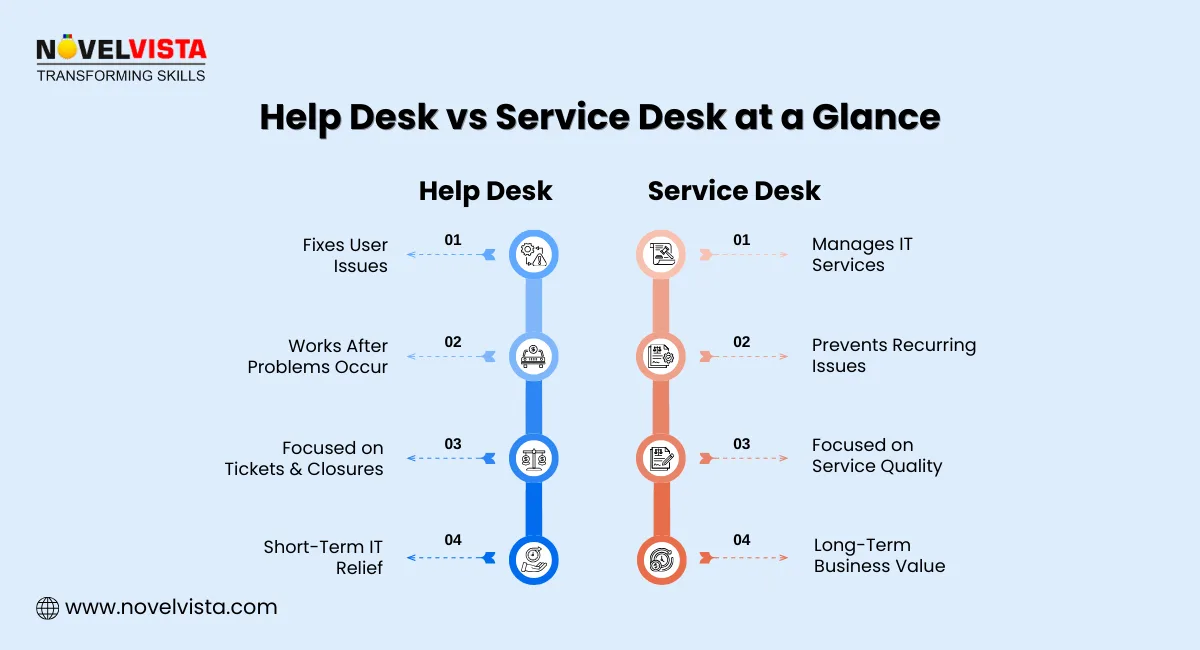
To clearly understand what is the difference between Help Desk and Service Desk, seeing them side by side makes things easier.
Aspect |
Help Desk |
Service Desk |
Primary Focus |
Fixing User Issues Quickly |
Managing IT Services End-to-End |
Approach |
Reactive, Issue-Based |
Proactive and Service-Focused |
Scope |
Incidents Only |
Incidents, Requests, Changes, Problems |
ITIL Alignment |
Limited (Mostly Incident Management) |
Full ITSM and ITIL Alignment |
Tools Used |
Basic Ticketing Systems |
Automation, Self-service, Analytics |
| Business Impact | Short-term Problem Resolution |
Long-term Service Improvement |
This table captures the core Difference between Help Desk and Service Desk — not just in tasks, but in how IT contributes to business success. This comparison is based on ITIL-aligned standards and our observations of operational differences in organizations of varying sizes. The distinctions reflect both process maturity and measurable impact on service delivery efficiency.
Processes That Set Help Desk and Service Desk Apart
Processes define how consistently and effectively IT support works. This is another area where the gap between the two models becomes very clear.
Help Desk Processes
- Focus on troubleshooting and issue resolution
- Escalate issues when they can’t be fixed at the first level
- Close tickets once the immediate problem is solved
- Little to no documentation beyond ticket notes
These processes are fast, but shallow. They solve today’s issue, not tomorrow’s risk.
Service Desk Processes
- Incident management with root cause tracking
- Service request fulfillment with approvals and workflows
- Knowledge management to reduce repeated issues
- Change coordination to avoid disruptions
- Reporting, reviews, and continual improvement
This depth directly improves service quality, response times, and user satisfaction. Over time, fewer issues occur because services are designed to be stable, not just repaired.
The process differences highlighted are drawn from real IT audits and workflow assessments. We’ve analyzed how reactive versus proactive IT support affects metrics like ticket resolution time, incident recurrence, and user satisfaction, reinforcing why proper ITSM implementation matters.
A Simple Way to Understand the Difference
Sometimes, analogies make IT concepts stick better. Think of it this way:
- Help Desk: Like a quick repair shop for your computer or smartphone. When something breaks, it’s fixed fast, so you can get back to work. It’s reactive and solves problems as they happen.
- Service Desk: Think of it as a full IT concierge service. It doesn’t just fix problems; it manages your technology environment, anticipates issues, and helps improve services over time. It’s proactive, strategic, and aligned with business needs.
This analogy helps teams remember the difference between Help Desk and Service Desk in a simple, practical way.
Download: Help Desk vs Service Desk Decision Guide
Understand the real differences between a help desk and a service desk. Use clear signals and checklists to see what fits
your organization’s current needs and growth stage.
When a Help Desk Is Enough (And When It’s Not)
Help Desks work perfectly in small setups with limited IT demands:
- Ideal Scenarios:
- Small teams with fewer than 50 users.
- Simple IT infrastructure and limited tools.
- Organizations that mostly need incident resolution, not strategic IT service management.
- Limitations as You Grow:
- Cannot track recurring incidents or analyze trends.
- Lacks reporting for SLAs and operational efficiency.
- Limited integration with other IT processes, which may slow down scaling.
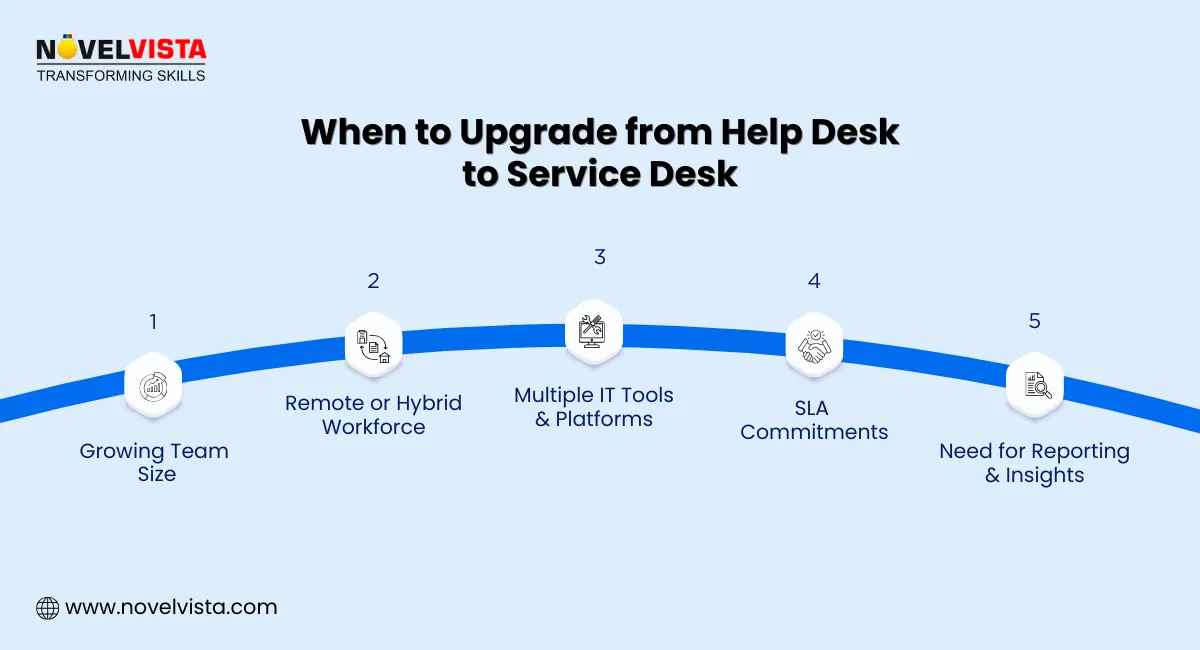
If your company is expanding, relying solely on a Help Desk can lead to bottlenecks and frustration.
When a Service Desk Makes More Sense for Businesses
A Service Desk shines when IT complexity increases:
- Scalable IT Support: Handles growing teams, multiple tools, and remote work setups.
- SLA & Reporting Focus: Monitors service levels, provides detailed analytics, and helps enforce accountability.
- Proactive Management: Reduces downtime through problem prevention and better incident coordination.
- Business Alignment: Ensures technology supports strategic objectives, improving both employee experience and business outcomes.
Enterprises that care about user satisfaction and operational efficiency typically move toward a Service Desk as their core IT support model.
From Help Desk to Service Desk: The Natural ITSM Evolution
Many organizations start small with a Help Desk, but maturity naturally leads to a Service Desk:
- Start Simple: Help Desk resolves immediate user issues, keeping IT operational.
- Maturity Drives Change: As IT grows, recurring problems, remote users, and multiple systems demand a more structured approach.
- Benefits of Service Desk:
- Lower Mean Time to Repair (MTTR) through better coordination.
- Improved SLAs and more consistent service delivery.
- Enhanced customer satisfaction and trust in IT operations.
Moving from Help Desk to Service Desk is about evolving from reactive troubleshooting to proactive, business-aligned IT service management.
Conclusion: Choosing the Right IT Support Model
The Difference between Help Desk and Service Desk is clear: one is reactive and solves immediate issues, while the other is proactive, strategic, and aligned with business goals. Choosing the right IT support model depends on your organization’s size, IT maturity, and long-term vision. Start with a Help Desk if your IT needs are simple, but aim for a Service Desk as complexity grows to maximize efficiency, service quality, and user satisfaction.
The guidance in this blog reflects accumulated expertise from ITIL-certified professionals, structured ITSM programs, and observed transformations in enterprises. Following these best practices ensures IT support evolves from reactive firefighting to strategic, service-driven operations.

Next Step: Level Up Your IT Skills with ITIL 4 Foundation Certification
Take your IT service knowledge to the next level with NovelVista’s ITIL 4 Foundation Certification. Learn how to implement ITSM best practices, manage services strategically, and improve business outcomes. This course equips you with the practical skills to evolve your IT support, streamline processes, and prepare for advanced ITIL certifications. Start your journey today to transform IT operations into a service-driven powerhouse.
Frequently Asked Questions
Author Details

Course Related To This blog
ITIL4 Specialist Monitor Support and Fulfil Certification
ITIL4 Specialist Acquiring & Managing Cloud Services
ITIL 4 Specialist Sustainability in Digital & IT
ITIL® 4 Strategic Leader Digital And IT Strategy (DITS)
ITIL® 4 Specialist Drive Stakeholder Value
ITIL® 4 Specialist High Velocity IT
ITIL® 4 Strategist Direct, Plan & Improve
ITIL® 4 Specialist Create Deliver & Support
ITIL® 4 Foundation Certification
Confused About Certification?
Get Free Consultation Call